Welcome to the JayDax Icarus Cheating Guide
Using Profile & Prospect Backup Files
If you get killed and can't recover your dropped items without getting killed again, you can restore an automatic backup file from before your death.
Here is how to locate your save files across your local Steam profile:
- Press Win + R to open the Windows Run dialog box.
- Enter
%LocalAppData%\Icarus\Saved\PlayerDataand press Enter. - Open the folder named with your Steam ID (a long string of numbers).
- Open the Prospects folder.
- Inside, you will find your active prospect and dated backups:
[ProspectName].json
[ProspectName].json.backup
[ProspectName].json.backup1
[ProspectName].json.backup2
Tip: In File Explorer, make sure file name extensions are visible and sort by Date Modified (newest first).
- Rename your active prospect file (e.g. rename
Olympus.jsontoOlympus.json.old). Confirm the Windows warning about changing file extensions. - Check the timestamps on the backup files and find one saved prior to your death. Rename that file (e.g.
Olympus.json.backup3) toOlympus.json.
Launch Icarus. If you picked the right timestamp, you will be back before you died with all your gear intact. If not, exit the game and test the next earlier backup file.
Is this cheating? The game creates these rolling backups automatically—using them simply saves hours of impossible recovery runs.
Not Really a Cheat
A clean method for extracting yourself from an impossible death loop without restarting your entire prospect.
Survival Pro-Tip
Before entering high-danger caves or predator dens, establish a nearby staging post with a bedroll and chest. Hold F on the bed to set your spawn point, then exit to the title screen. This forces an immediate save point you can reload safely.
Getting Unlimited REN, Exotics, and Currency
If you want to bypass the workshop grind and purchase orbital gear or orbital supply drops directly down to your base, you can edit your account balance directly.
Direct JSON Edit Method
- Close Icarus completely.
- Press Win + R, paste
%LocalAppData%\Icarus\Saved\PlayerData, and press Enter. - Open your numeric Steam ID folder.
- Create a backup copy of
Profile.json(e.g. copy and rename toProfile_backup.json). - Open
Profile.jsonin your preferred text editor (such as Edit+ or Notepad++). - Locate the credit and exotic currency keys near the top of the file:
"Credits": 50000,
"Exotics": 10000,
"Exotics_Red": 5000
(If
"Exotics_Red"is not listed yet, you can add the key and value on a new line inside the same section). - Save the file and relaunch Icarus.
Your workshop balance in orbit will immediately reflect your updated currency.
Orbital Deliveries
With unlimited credits and exotics, craft an Orbital Exchange Interface and a Contact Device in your base to summon orbital transport drops carrying advanced workshop tech directly to your planet surface.
Using RE-UE4SS for God Mode, Slomo, and Teleportation
While Icarus disables developer cheats in public releases, you can re-enable Unreal Engine's native cheat manager using the RE-UE4SS injection tool. This unlocks native invulnerability, world simulation speed scaling, and instant coordinate teleportation.
Step 1: Download RE-UE4SS
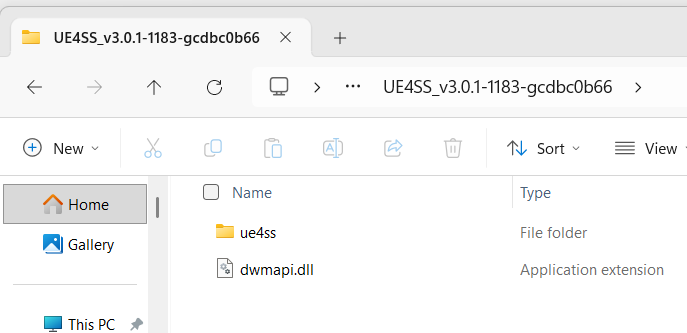
Download RE-UE4SS from GitHub releases: RE-UE4SS Release Page. Download the standard release archive (e.g. UE4SS_v3.0.1.zip) and extract it to a temporary folder.
Step 2: Copy to Your Icarus Binaries Folder
Copy UE4SS.dll and the ue4ss folder into the game's executable directory:
- In Steam, right-click Icarus in your library → Manage → Browse local files.
- Navigate down through:
...\Icarus\Binaries\Win64\ - Verify that
Icarus-Win64-Shipping.exeis in this folder. - Paste both
UE4SS.dlland the entireue4ssfolder here.
Step 3: Enable the Console & Fix Font Scaling
Open ...\Icarus\Binaries\Win64\ue4ss\UE4SS-settings.ini in Edit+ or your text editor. Under the [Debug] section, enable the console and UI overlays:
[Debug]
ConsoleEnabled = 1
GuiConsoleEnabled = 1
GuiConsoleVisible = 1
GuiConsoleFontScaling = 2.0
Setting GuiConsoleFontScaling = 2.0 ensures the text on high-resolution displays remains legible.
Step 4: Configure Console Hotkey
By default, ConsoleEnablerMod binds to F10. If F10 conflicts with screen capture or overlay utilities on your PC, change it to F8:
- Open
...\Icarus\Binaries\Win64\ue4ss\Mods\ConsoleEnablerMod\main.luain Edit+. - Change
Key.F10(or"F10") toKey.F8(or"F8"). - Save the file.
Author's Corner
Bypassing the grind lets you explore hidden corners of the world at your own pace.
Time After Time
Enjoy science fiction mysteries? Discover historical secrets, grandfather paradoxes, and temporal enigmas:
- • Who Jack the Ripper really was
- • What happened to the Blair Witch
- • Why the Titanic had to sink
- • Leonardo da Vinci's forgotten flights

Using God Mode, Slomo, and Teleport
Once in your prospect, press your configured console key (F10 or F8). A single-line input bar will appear along the bottom of the screen.
| Command | Description & Best Practices |
|---|---|
god |
Toggles absolute invulnerability. Eliminates all animal damage, projectile attacks, fall damage, oxygen starvation, and extreme temperature exposure. Enter god again to return to normal vulnerability. |
slomo [multiplier] |
Scales world simulation speed. Use slomo 5 or slomo 10 to cross long maps or mine resource veins rapidly. Always run slomo 1 to return to standard real-time speed. |
ShowDebug |
Toggles real-time coordinate and physics telemetry on your screen. The line reading Location: X=... Y=... Z=... displays your current coordinates in Unreal Engine units. |
BugItGo X Y Z |
Instant vector teleportation to the specified coordinates. Drops your player character directly at the specified point. |
How to Bookmark and Teleport to Bases
Unreal Engine coordinates can be captured and reused whenever you need to return home:
- Stand on the roof of your base.
- Press F8 (or F10), type
ShowDebug, and press Enter. - Note down the whole numbers for $X, Y, Z$ (ignore the decimal points).
- Always add +100 to the Z (height) coordinate so your character drops lightly onto the surface rather than clipping into the foundation collision.
Example Base Coordinate:
If ShowDebug reads X=-61578.4 Y=-22772.1 Z=-578.0, add 100 to $Z$ (making it -478):
BugItGo -61578 -22772 -478
Time for a Fresh Brew
Hit Esc to pause and brew a fresh cup while your prospect runs in the background.
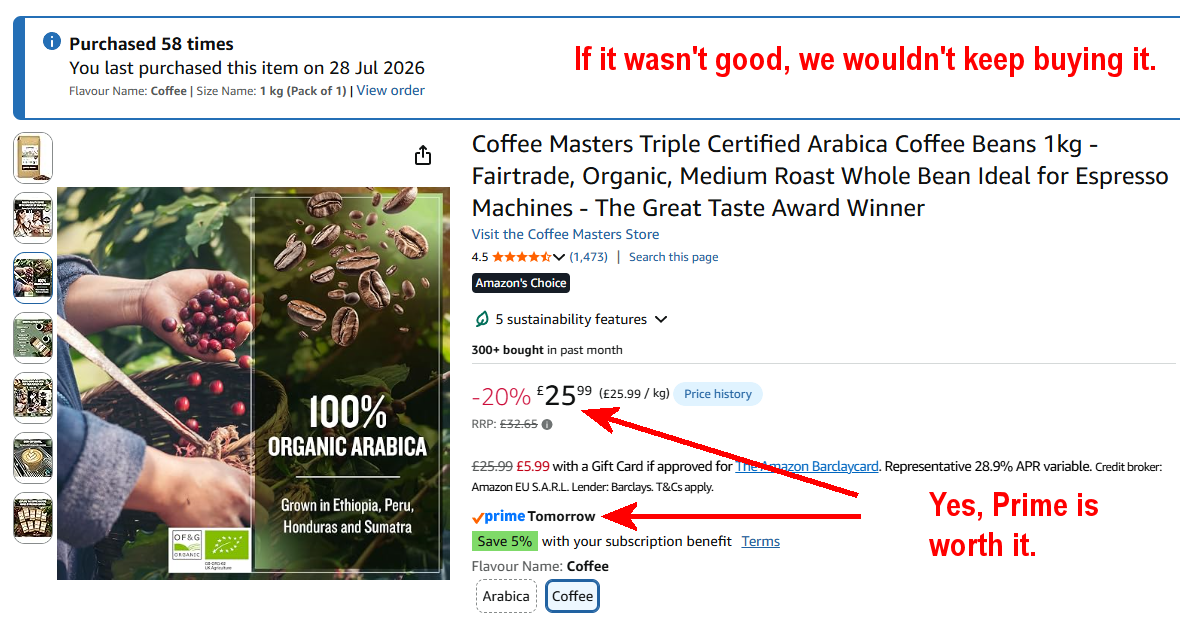
Organic beans produce chlorogenic acid naturally to resist insects, yielding rich flavour and natural antioxidants when ground fresh and served black.
View Organic Coffee
The Field Kit: Fresh Grinds & French Press
1. Electric Coffee & Spice Grinder
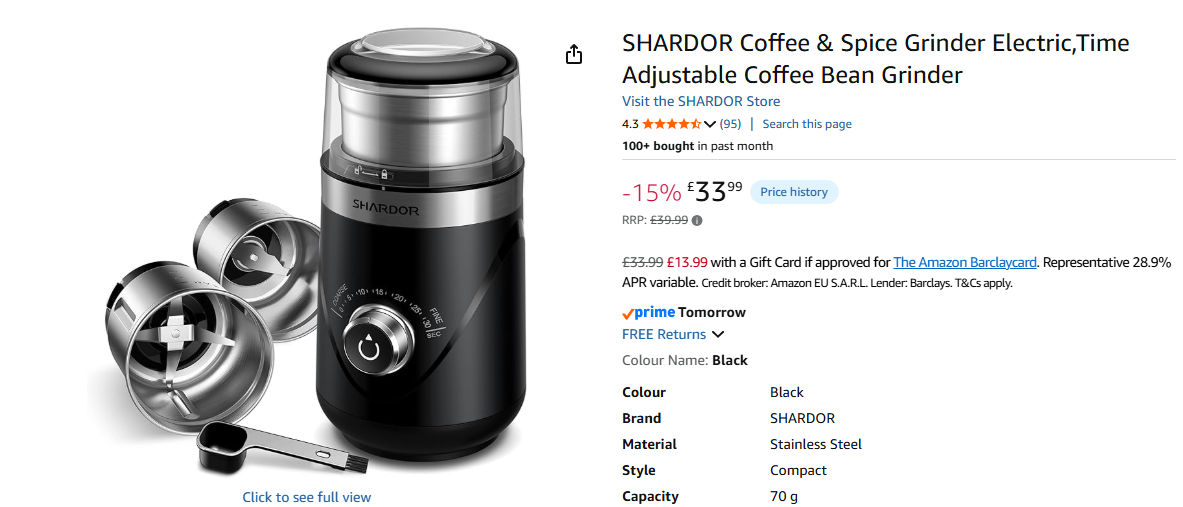
A fast, adjustable grinder (such as the SHARDOR electric grinder) ensures consistent particle size for full extraction, with separate cups for beans and wet spices.
SHARDOR Coffee & Spice Grinder
2. Double-Wall Insulated French Press
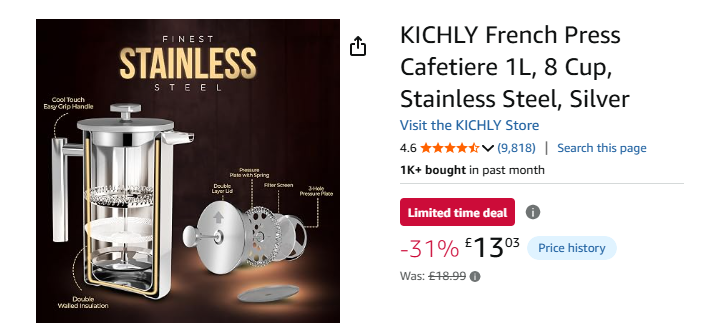
Use 50–53 grams of freshly coarse-ground coffee, fill with water just off the boil, steep for 4–5 minutes, and press smoothly.
Stainless Steel Insulated French Press

While Your Coffee Steeps
Give it 5 minutes to brew. In the meantime, try a modern web reimagining of the 1982 Acornsoft classic:
Castle of Riddles
Expanded with graphics and audio—free to play in any browser with zero ads.

 Click image to zoom in / out and right button drag.